The purpose of this blog is to show my competence to produce an online resource package which will discuss the application of technology to a specific occupational therapy context.This blog also explores a chosen occupation that I participate in, breaking it down for a greater understanding of it. Read away :)
Cook and Hussey (1995) have defined assistive technology as being "any item or piece of equipment or product system whether acquired commercially off the shelf, modified, or customized that is used to increase functional capabilities of individuals with disabilities". To me, this definition means that assistive technology is any piece of equipment that will help someone return to function in terms of day to day tasks. An example of this, is speech recognition.
(Image one)
Speech recognition is a software that allows people to communicate with technology through speaking to it, and it generates the words for them. This is useful for someone has trouble texting, writing & typing etc. It is easy to use, as it comes with manuals, and it is compactible and small which makes it prime to carry around to have for use when needed. It is compatible with all types of technology, such as computers or cellphones. The costs range from $40-$150, which won't break the bank.
(You tube, 2011)
The above video from you Tube, is an example of somebody who is wheelchair bound and uses assistive technology to be able to use a computer, and this is speech recognition. With this video, we can see how much speech recognition can help a person get back to doing a task they enjoy, such as using a computer.
References:
Cook, A. M. & Hussey, S. M. (1996). Assistive technologies: Principles and practice. USA: Mosby
For this tutorial, we were taught how to add links to pages of interest to our blogs, in this case, we are linking to other blogs related to occupational therapy, so I linked my fellow classmates how have blogged this year. These links can be shown to the right of the page on my blog. I also commented on Amanda's blog to show my interest in her written blog to show my understanding of exchanging comments when interest is supplied.
I have a picture example of this exchanging of comments, but the blogger server is rejecting it as an image.
I have also linked to Google, Facebook and YouTube, as they are useful sites to cater for all kinds of things, such as finding information, socialising and viewing examples of all kinds of things. These sites are defintely of interest
In this entry I am going to talk about a few online communities in relation to topic from my placement at Child and adolescent mental health services. I spent four weeks assisting an occupational therapist in a child and adolescent mental health care unit at Tauranga Hospital. The tpoic I will talk about is the social interaction between children. These are three online communities that would relate to my time spent there and help me understand the tasks I was undergoing much better.
Facebook is a large online social network that is worldwide. As of January 2011, it has over 600 million active nusers. This online community allows you to create your own profile, add other users as friends and excahnge messages including automatic messages when their profiles are updated. It is extremely interactive, allowing people to make their profiles and contribute ideas and interests. Additionally, the users can join common interest groups and connect with others with similar interests. I found this an interesting site in respect to CAMHS, as a lot, if not all, the clients used this site to connect with their friends, family etc. Being a facebook user myself, it helped me to understand the social standing of the kids I was working with. The ethical issue that can arise from facebook, is that anyone can send mssages or post on anyones pages, which can mean that some people may get messages or have comments posted on their public page that they dont want there.
Equine therapy: Riding for the Disabled
Riding for the disabled (RDA), is a therapeutic nteraction with horses in order to develop increased ability and self esteem for children with physucal and inteleectual difficulties. This website goes over how equine therapy helps to work with the children and how it can beneift them. Its not very interactive, as its mainly an informational site for people to refer to. I found this a useful website to refer to, as on my placement at CAMHS, I attended an RDA with a few of my clients, and understanding how it helps is a useful tool in this situation. This was one of many therapeutic activities that were used in this setting.
Blogspot
Blogger is a website where you can create your own blog and write about whatever you desire. People create blogs to write demonstrations and tutorials, write about their own lives, or create stories and explore their own imaginations. Blogger is very interactive, where people can make their own blogs, contribute ideas and information and interact with other peoples blogs. I found blogger and interesting website in terms of CAMHS as they are encouraged to explore their own lives, and I think Blogger wold be a good place to do so, as it allows you to create insight and understand things better when great thought is put into it.
http://www.youtube.com/
This is a website call youtube, which is a video sharing website on which users can upload, share and view videos posted by other users of this online source. This site includes all kinds of videos, such as; movie clips, TV clips and music videos.
Youtube can be super useful to find information and learn more about a specific topic, or how to do something. My second fieldwork I was in a retirement village, and there I learned a lot about adaptive devices to help people carry out their ADL's (Activities of Daily Living). So, I am going to show you 5 video clips taken from youtube, which will help you understand a bit more about adaptive devices, which is useful in a retirement setting.
This video goes over the understanding of adaptive devices for ADL's
This video helps a person to understand a little bit about using adaptive equipment in the bathroom, such as helping a person use the toilet or get into the shower.
This video helps a person to understand a little bit about the use to adaptive equipment in the bedroom, such as helping a person get dressed.
This next video goes over how to use adaptive equipment in the kitchen, such as using an object to help you pour water from a jug, or something that aids you in taking lids off containers.
This last video I found on youtube goes over a specific adaptive device to help someone who is deaf.
With these youtube videos we can see how we can go onto this site and learn about something specific so that we can understand it better and be better equipped in some situations, such as working in a retirement village where a general knowledge of adaptive equipment would be necessary as it can improve sometimes ability to function independently with their day to day tasks.
We were asked to create a video to show our understanding of using technology, such as a camera, and to create this video around a specific letter. The chosen letter for my video was "c", and I went around the house as I was away at school the day these were done, and I filmed things that begun with "c" to show my understanding of using a camera and a tripod. The use of scripting was integrated into my video making, as I added special effects such as fade in and fade out.
In this tutorial, I am showing my competency in setting up a tripod and camera and using it to capture 5 photos, which will be uploaded in the next tutorial. The task will then be to upload these photos to a Flickr account, which then be connected to our blog here on blogspot.com.
Some hardware and software that I am familiar with are video cameras, digital cameras, desk top computers, lap top computers, handhelds and camera phones.
There are many examples of digital imaging used to provide information and take digital images. These examples are:
Video cameras
(Digital Video, Personal video, 2009)
A video camera is used for electronic motion picture acquisition. There are two ways that a video camera is primarily used for. The first one is for live television broadcast. The second is used to capture moving images and store them to be broadcasted on television on a later date. This includes video manipualtion and editing. Another way that digital video is being used is to caputre moving image for personal reasons with your own portable device, such as speeches at a birthday party or a family event.
Digital Cameras
(Digital Camera Image, Personal Image, 2010)
A didgital camera is primarily used to capture still photographs. We can see how the 21st century is the advanced technology century, using digital cameras as an example, as most cameras of the 21st century are digital. Digital cameras somewhat replace film cameras, because they can do things that film cameras cannot. Examples of this is that digital cameras can display the images on screen immediately after being captured, it can store thousands of images on the one small memory device and can choose to keep or delete the recorded images at your own will. This has allowed us to quikly and effectively capture images and use them in many different ways.
Web cameras
(Ehow, 1999-2011)
A webcam is essentially a video camera which feeds its images in real time to a computer network. This is called a video link, permitting the computer to act as a video conference station.
Laptops
(Laptoppicker, 2011)
A laptop provides the same technology services as a desktop computer, but is known for its mobile use and its compactibility. It is essentially a display screen, keyboard, a pointing device and speakers in a single unit. The main upside of a laptop is its portability. Portability means that a laptop can be used in many places; not only at home and at the office, but also during commuting and flights, in coffee shops, in lecture halls and libraries, at clients' location or at a meeting room, etc.
Camera phones
(Slipperybrick, 2011)
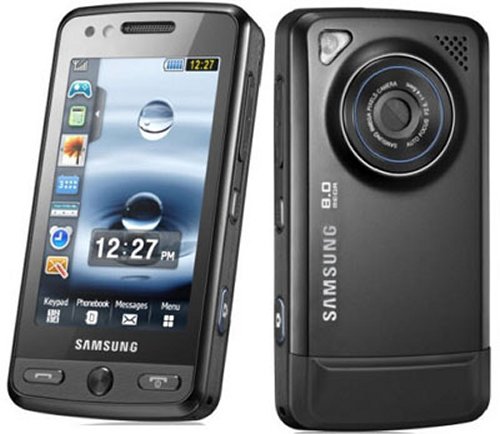
A camera phone is a mobile phone which is able to capture either still photographs or videos. This has only recently become available, and is another example of the advancment of technology in the 21st century. The downside to camera phones in comparison to digital cameras is that their fixed focus lenses and smaller sensors limit the performance and quality of the photo.
"A new technology is rarely superior to an old one in every feature"
I think there is truth to this quote, simply because there are definite upsides and downsides to new technology. The technology available in terms of digital imaging, allows us take thousands of photos on one smal device, look at them straight after being taken, delete or keep at will, upload in a matter of seconds and manipulate. Whereas with the old technology, we would have to take a few photographs, print them in order to see how they turned out, and then store into albums as an example. A downside to the new technology, is that we don't build this attachment to the photographs we have taken, because its so quick and easy and we no longer have to have them in an album in order to view them. Now a days, we can just upload them to a social networking site for everyone we know to view and because of this, it becomes easy to forget about them.
There are many ethical issues that can arise from digital imaging because we now have the ability to take thousands of photos, but we don't necessarily know who is in the photos. If taking pictures in public, we may accidentally snap photos of strangers, and if we were to upload them onto the internet without the persons permission, they may not want their photograph on the net. An example of this is when Google maps snapped images for their mapping system without seeing if there was anybody in the picture first, and ended up with a photo(s) that not everyone would like to see, which invaded someones privacy.
This video shows a lady falling down an escalator, filmed by somebody at the airport and uploaded to youtube for everyone to view. I know that if it were me, I wouldn't want this posted on the internet as it would be very embarassing, and couldv'e seriously been injuring. This shows that ethical issues need to be considered in terms of digital imaging as not everything should be uploaded for public viewing and permission should be asked for.
Digital imaging can be a very useful tool for Occupational Therapists as it can help us to teach or facilitate ideas to clients. It can be a very good learning tool, as well as help us as OT's to keep track of our client's progress with their treatment. An example of using digital imaging as a learning tool, is by taking snapshots of putting an intervention technique into practise and giving it to the client to refer to when practising this techniques. Such as how to use a dressing stick to safely and effectively put on a coat for someone with haemoplegia. Another way is to video a techinique for the client to refer to. This shows how OT's can use digital imaging to their benefit in their practise.
This post will explore the use of digital technology as well as the ethical issues related to technological use as a medium for information distribution.
InformationTechnology, by dictionary defitinion, is the production, storage and communicatnion of information using computers and microelectronics, (Collins English Dictionary, 2003).
This definition tells me that through the use of technology, and more specifically computers, we have become able to communicate with others world wide, create various documents and store them and altogether use this source of technology to do a vast variety of things. This defintion from the Collins Dictionary has covered the main basis of what technology is able to do, but in specualtion, the amount of things that can be achieved through the use of technology is phenominal.
In todays society, the majority of job occupations use technology in their settings, whether just for communication, or to carry out the job tasks altogether. A wide range of technology is availble for leisure occupations also, and many of the adolescents of this time enjoy occupying their time through technology with computer games, online streaming or social networks.
"Information and communication technologies, such as online shopping, instant messaging, digital photography, computer games and mobile phones, are becoming everyday meaningful occupations", (British Journal of OT, 2008).
Technology has become so well known, that to be in a place void of technology would seem like an alien place, showing the extent to how common place technology has become. Generation Y has even been deemed the 'Techno-savvy generation' as they are the first generation to have technology from birth (Theage, 2011). Through this we can see how technology has infused with our everyday lives, showing how prevalent it has become in our society. The steady progress of technoloys is ever inspiring and will only spawn continuous advances, meaning technonlogy will always be a part of our society.
This video from Youtube goes through the use of information technology in everyday lives and how it has become implanted into our lifestyles, (Youtube, 2011)
IT devices and systems that I am familiar and comfortable with are a wide variety of what is available such as cellphones, Ipods, computers etc. I find that I'm quite techno-savvy myself, being generation Y, and that I'm quite computer literate, finding it easy to navigate most things technological.
Information technology is being used by Occupational Therapists to ensure that therapy remain meaningful to their clients. Technology can be useful to improve both functional independence and occupational performance. I think IT is useful to be a part of as it plays such a big role in the lives of ordinary everyday people.
Ethical implications that can arise is that if someone were to upload a picture or video of someone where consent wasn't given to upload it, it could have ethical implications. It could cause embarrassment etc for the person who is involved in these.
Intellectual property is a way of saying that something belongs to you, and you have the exclusive rights to that something. Under intellectual property law, owners are granted certain exclusive rights to a variety of intangible assets. An exapmple of intellectual property would be the use of the copyright symbol.
Social Justice generally refers to the idea of creating a society or institution tha is based that is based on the principles of equality and solidarity, that understands human rights and recognizes the dignity of every human being.
Informed consent is the consent from a patient or client to undergo a certin treatment plan or to be a particpant in an experiment, and that they understand the risks that involved with the treatment or experiment etc.
References
Collins English Dictionary. (2003).
Ryan, S., & Verdonck, Michelle. (2008). Mainstream Technology as an Occupational Therpay Tool: Technophobe or Technogeek?. British Journal of Occupational Therapy, 71(6), 253-256.